 Chat with all AI
AI chat that lives in Chrome's side panel
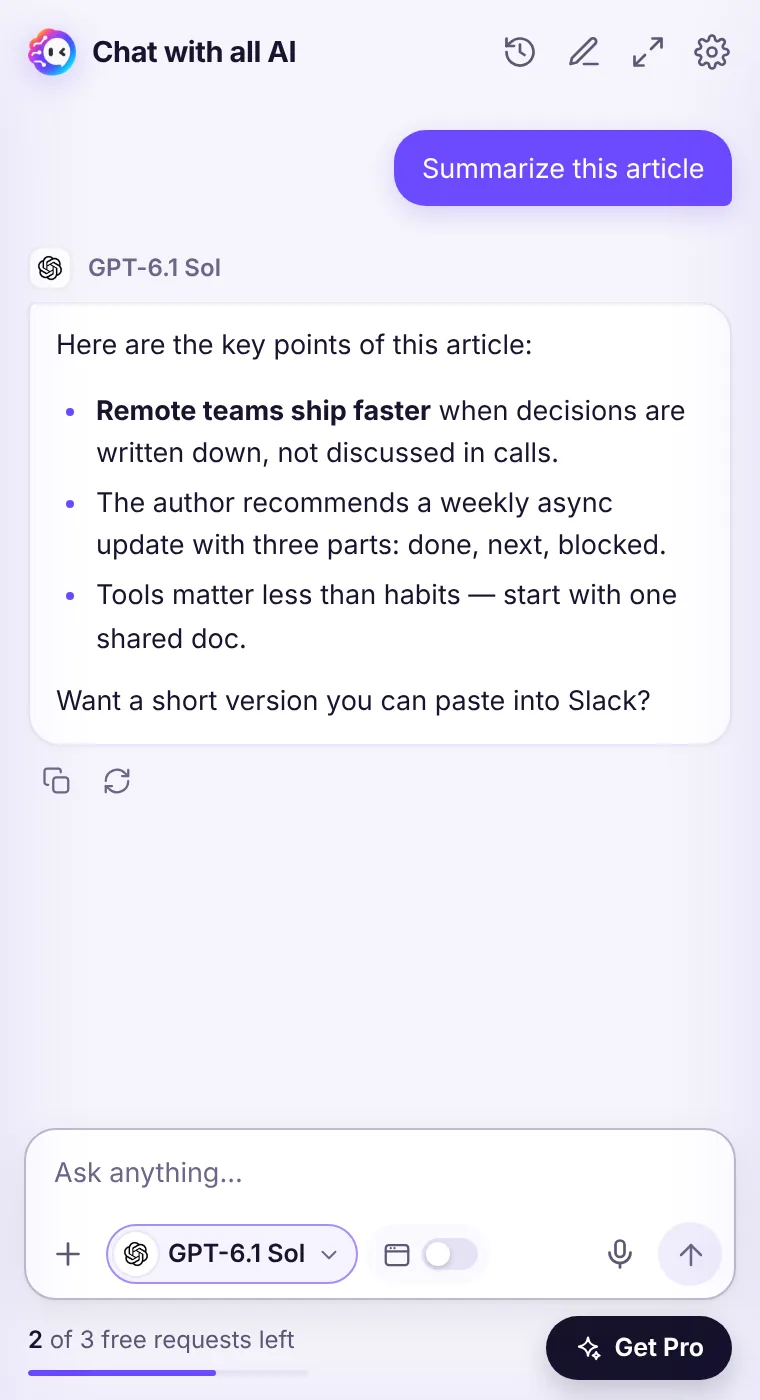
Open the side panel with one click or Ctrl Shift Y and ask anything. The panel stays open while you browse, so you can read, ask and write side by side.
How it works
- Click the Chat with all AI icon in Chrome's toolbar (pin it for one-click access).
- Type your question or pick an action on the home screen.
- Choose a model in the message box if you want a different one.
- Copy the answer, regenerate it, or keep chatting with follow-ups.
Built for reading and writing at the same time
Copy-pasting between tabs breaks your focus. Chrome's side panel keeps the AI next to what you're doing — an article, a pull request, a doc, a form. Turn on This page and your question includes the page you're on.Your history stays on your device
Conversations are saved in your browser's local storage, not on our servers. Open the history from the clock icon, search it in the full window, or clear it any time in Settings.See it in the extension
Frequently asked questions
Does the chat remember earlier messages?
Yes, within a conversation the model sees your previous messages. Start a new chat with the pencil icon to begin fresh.
Is there a message length limit?
Very long inputs are trimmed to fit the model's context. For huge documents, share the page or paste the most relevant part.
Every top AI model, one side panel
Try GPT-6.1, Claude, Muse and Grok free — 3 requests, no card needed.