 Chat with all AI
Draft WhatsApp replies with AI
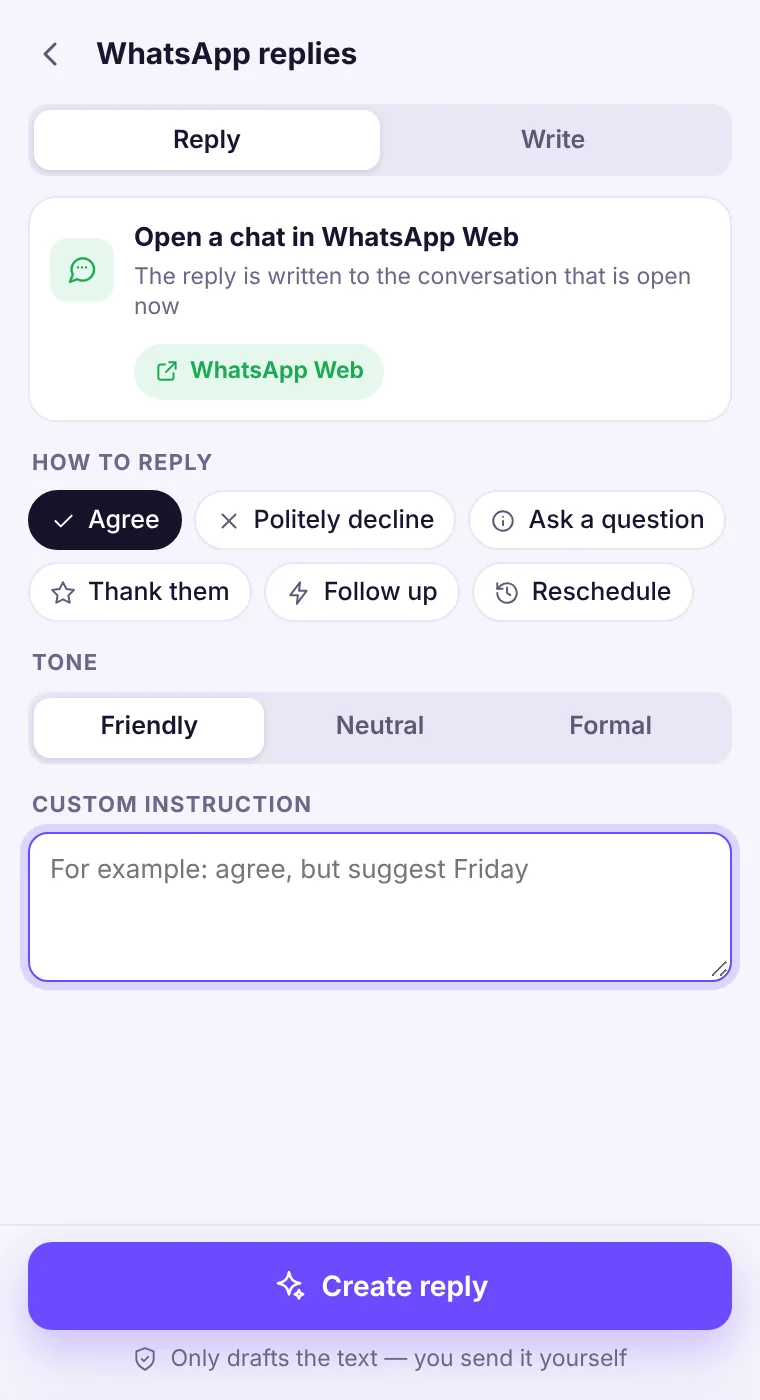
Open the chat in WhatsApp Web, choose WhatsApp on the home screen and pick Reply. The assistant reads the conversation on the screen and drafts an answer in the tone you choose.
How it works
- Open web.whatsapp.com and open the chat you want to answer.
- In the side panel, choose WhatsApp → Reply (or Write for a new message).
- Choose how to reply and the tone; add an instruction if needed.
- Press Create reply, copy the draft, paste it into WhatsApp and send it yourself.
Private by design
The extension reads the visible chat only when you press Create reply, and only to write the draft. It does not store your messages, and it never sends anything on WhatsApp.If the chat isn't open
If the active tab isn't WhatsApp Web, the extension asks you to open the chat first instead of guessing — and your free request isn't used.See it in the extension
Frequently asked questions
Does it work with the WhatsApp desktop app?
No — it works with WhatsApp Web in Chrome, because extensions can only read pages in the browser.
Is this an official WhatsApp feature?
No. Chat with all AI is an independent extension and is not affiliated with WhatsApp or Meta.
Every top AI model, one side panel
Try GPT-6.1, Claude, Muse and Grok free — 3 requests, no card needed.